














Icebet Casino Login – How to Log In Quickly
Want to log in quickly and get right back to playing? Sometimes you forget your password or encounter technical login issues. This can be frustrating, especially when you're eager to play. This guide will help you sign in within seconds and provides solutions for common login problems. Whether you're on a computer, tablet, or smartphone – here's how to access your account smoothly.
Your Icebet Casino Login in 3 Steps
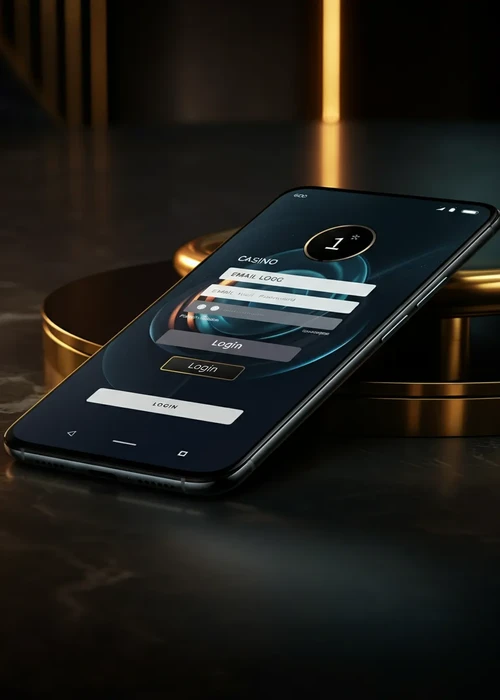
Already have an Icebet account and want to log in? It's quick and easy. Visit the website and click the 'Login' button in the top right corner. Then, enter your email address and password. After clicking 'Sign In', you'll be directly in your player account. From there, you can deposit, play, or manage your profile. For tips on secure passwords, visit Heise Security.
Forgot Your Login Details – Here's What Helps
It happens to everyone – forgetting your password. Don't worry, the problem is quickly resolved. On the login page, you'll find a link that says 'Forgot Password'. Click on it and enter your registered email address. You will then receive a message with a link to reset your password. Choose a new, secure password and use it to log in.
Reset Password
The reset link is valid for 24 hours. If you don't receive an email, please check your spam folder. When creating your new password, ensure it's a combination of letters, numbers, and special characters. This will optimally protect your account from unauthorized access.
| Problem | Solution | Duration | Where | Note |
|---|---|---|---|---|
| Forgot password | Reset via email | Immediate | Login page | Check spam |
| Forgot email | Contact support | 24 hrs | Live Chat | ID ready |
| Account locked | Inquire with support | 24-48 hrs | Ask for reason | |
| Page not loading | Clear cache | Immediate | Browser | Restart |
| Wrong password | Try again | Immediate | Login page | Check Caps Lock |
Secure Login
Your security is our top priority. The platform uses modern encryption technology to protect your data. Only log in via the official website and avoid using links from unknown emails. Do not save your password on public computers. If you wish for additional protection, you can contact support regarding further security options.
Two-Factor Protection
For maximum security, we recommend using a unique password that you don't use anywhere else. Change your password regularly and never share your login details with others. In case of suspicious activity on your account, contact customer service immediately.
- 1. Use a strong, unique password with at least 12 characters
- 2. Only log in via the official site; avoid links from emails
- 3. Do not save passwords on unfamiliar or public devices
- 4. Regularly check your account activity and transaction history
- 5. Contact support immediately if you notice suspicious activity
- 6. Change your password every three to six months for maximum security
- 7. Use different passwords for your casino and email accounts
Login on Smartphone and Tablet
Mobile login works just as easily as on a computer. Open your browser and go to the website. The page automatically adapts to your device. Tap 'Login' and enter your credentials. Within seconds, you'll be logged in and can play from anywhere. The mobile version offers all the features of the desktop version.
Solving Common Login Problems
Sometimes, technical difficulties can occur when logging in. The most common causes are a full browser cache, an unstable internet connection, or typos. First, check if your internet connection is stable. Then, try using a different browser or clearing your cache. If problems persist, support can help you further.
Clear Browser Cache
A full cache can prevent the page from loading correctly. In your browser settings, you'll find the option to clear browser data. Select 'Cache' and 'Cookies' there and delete them. Restart your browser and try logging in again. In most cases, this resolves the issue.
- 1. Open browser settings via the menu (three dots or gear icon)
- 2. Navigate to Privacy, Security, or History, depending on your browser
- 3. Select 'Clear browsing data' and check 'Cache' and 'Cookies'
- 4. Select 'All time' for a complete cleanup
- 5. Confirm the action and wait for the process to complete
- 6. Close all browser windows and completely restart your browser
- 7. Open the casino page and log in with your credentials
Log In Now and Start Playing
You're just a few clicks away from your gaming experience at Icebet Casino. With the information in this guide, you can solve most login problems yourself. If you still need help, customer service is available 24/7. Log in now and discover the latest games, promotions, and offers. Don't have an account yet? Then start your registration now. Your account is waiting for you with exciting opportunities.
Contact Support
Live chat is the fastest way to get help. You'll find it in the bottom right corner of the website. Alternatively, you can send an email to support or use the telephone hotline. Our team is available to help you with all inquiries regarding your account.
The Quick Way to Your Gaming Experience
You now know exactly how to log in to Icebet Casino and how to solve common problems yourself. Signing in is straightforward, whether on a computer, tablet, or smartphone. With a secure password and the right settings, you optimally protect your account from unauthorized access. If you've forgotten your password, recovery takes only a few minutes via the link in your email.
Once you're logged in, the entire world of Icebet games is open to you. Over 3000 games are waiting to be discovered – from popular slots and table games to the live casino with real dealers. Use your active bonuses, track your transactions, and manage your profile conveniently via the dashboard. Our customer support is available 24/7 via live chat if you ever need assistance. Log in now and dive into the world of online gambling at Icebet Casino.
FAQ
Click 'Login' on the homepage, enter your email and password, and confirm. You'll be logged in within seconds.
Click 'Forgot Password' and enter your email. You'll receive a reset link via email.
Yes, login works on all mobile devices. Simply open the website in your smartphone's browser.
Check your internet connection and clear your browser cache. If you continue to have problems, contact support.
Yes, all data is transmitted encrypted. Use a strong password for maximum security.